This post contains affiliate links. If you make a purchase through these links, I may earn a commission at no extra cost to you

A lot of the advice I read about choosing a website platform for a small business is written by people who’ve never actually built one. So instead of comparing feature lists, I signed up for a WordPress.com test account and built a small business site myself — the kind a freelancer, consultant, or local shop owner might need for their first real web presence — and judged it from that angle: would this actually work for someone running a business, not just a hobby blog?
Here’s what I found, organized around the questions a small business owner actually asks before committing to a platform.
“How fast can I actually get something live?”
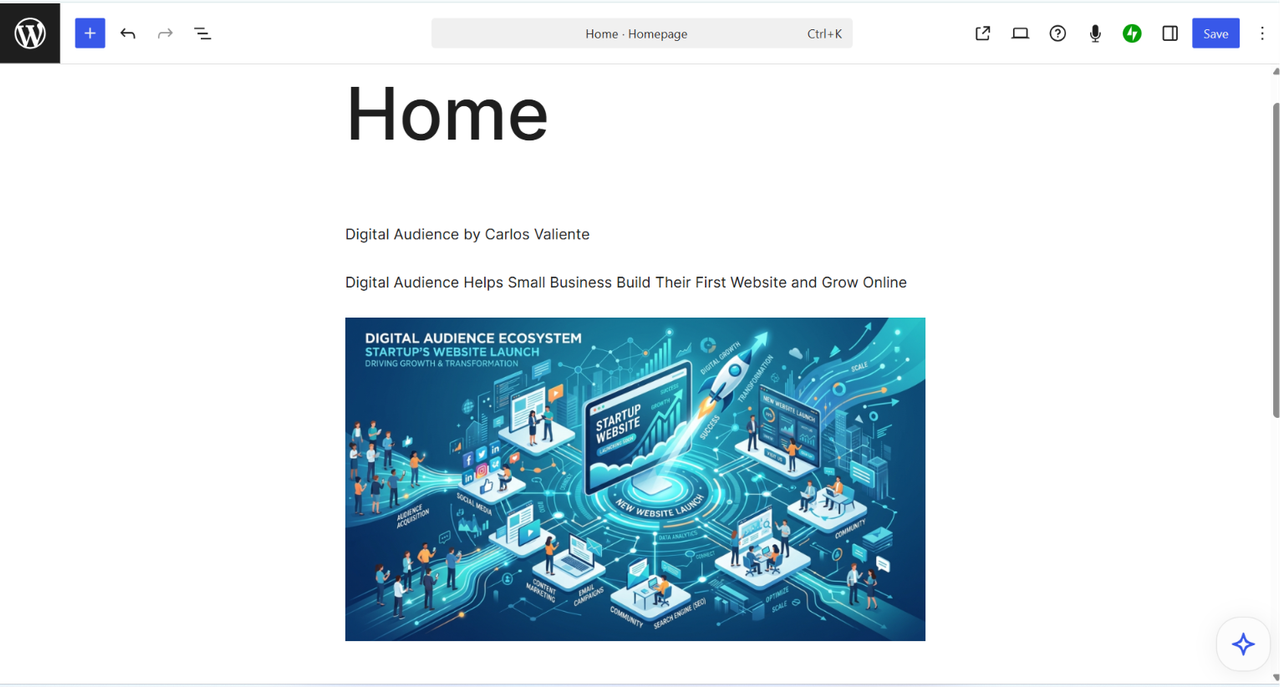
Faster than I expected. After signing up, I was inside a working dashboard within minutes — no hosting purchase, no software install, nothing technical to configure first. I built a homepage with a heading, a description of the business, an image, and a call-to-action button using the block editor, and had a working page in under fifteen minutes.
For a business owner who needs a web presence this week, not next month, that speed is a real advantage over self-hosted WordPress.org, where you’re choosing hosting, installing software, and picking a theme before you write a single word.
“Can I take payments without hiring a developer?”
This was the most relevant discovery for a small business specifically. When I published my About page, WordPress.com immediately offered to let me add a payment button or donation form directly into the page — no plugin, no separate integration, no developer needed. For a consultant taking deposits, a service provider charging a flat fee, or anyone who just wants a simple “pay here” option, that’s a meaningfully low bar to clear.
On a self-hosted WordPress.org site — which is what I run for my own business — accepting a payment on a page normally means installing and configuring a plugin like WooCommerce or a forms tool with payment processing built in. It’s not hard, but it’s a step. Here, it’s part of the basic publishing flow.
“Will it look professional, or generic?”
The theme browser organizes options by category — Business, Store, Portfolio, Blog, and more — and applying one takes a single click. I found a clean, minimal theme suited to a small business site without much searching. It’s not the same depth of customization you’d get hand-coding a WordPress.org theme, but for a business that needs to look credible without a design budget, the curated options were genuinely presentable.
“What does this actually cost?”
Here’s the real pricing, since this is usually the deciding factor for a small business:
- Personal — $9/month, or $4/month billed annually
- Premium — $18/month, or $8/month billed annually
- Business — $25/month, billed annually
- Commerce — $45/month, billed annually
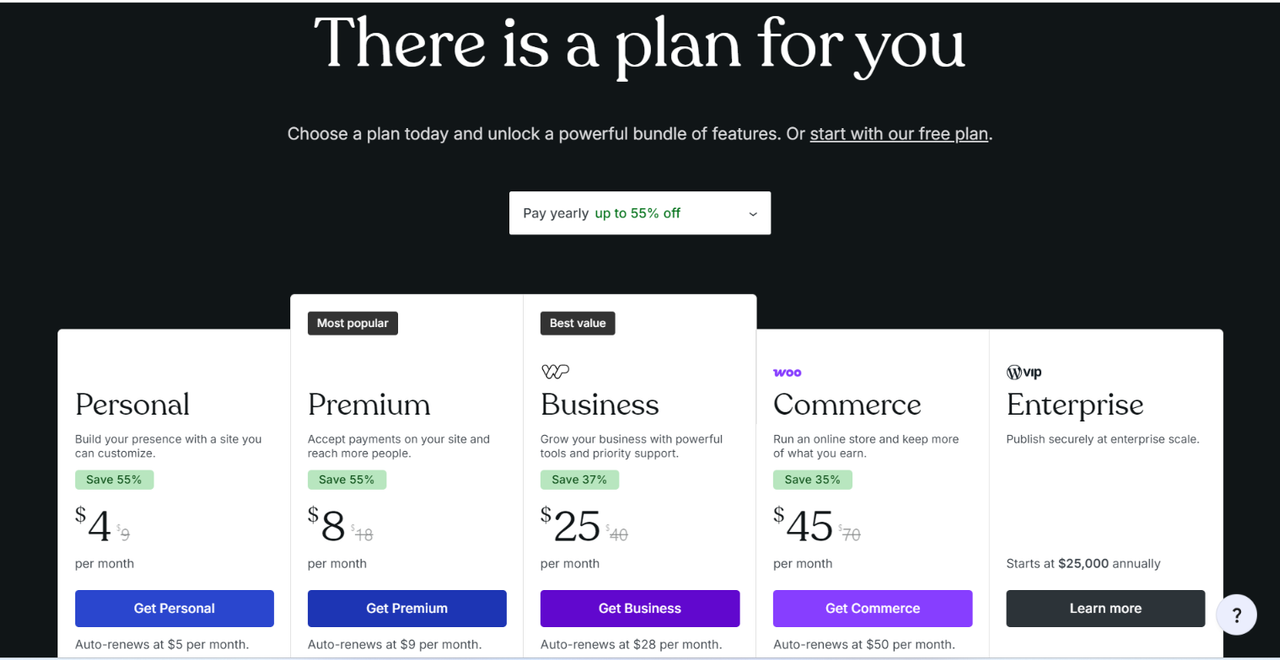
For a small business that wants to accept payments, Premium is the realistic minimum — it’s the tier where that unlocks. If you only need an informational site with no payment collection, Personal covers it. Business and Commerce only become relevant once you need specific plugins or a full online store.
The Honest Limitation
If your business has a specific technical need — a particular booking plugin, custom CSS, an integration that isn’t built in — you’ll hit a wall on the lower plans. That functionality is locked behind the Business plan, and the jump from Premium to Business is a real cost increase, not a minor upsell. I’d plan for that in advance rather than discover it after you’ve already built out a site on a lower tier and outgrown it.
The trade-off that balances this out: WordPress.com handles hosting, security updates, and backups automatically. As someone who manages all of that myself on WordPress.org, I know firsthand that’s not nothing — it’s ongoing work that a busy small business owner may genuinely not have time for.
Who Should Actually Use This
Based on what I built and tested, WordPress.com makes sense for a small business owner who:
- Needs a professional site live quickly, without managing technical infrastructure
- Wants to accept simple payments or deposits without hiring a developer
- Has fairly standard needs — an informational site, a few pages, a way to get paid
It’s less of a fit if you already know you need a very specific plugin, custom functionality, or full ecommerce store from day one — in that case, budget for the Business or Commerce plan upfront, or consider whether self-hosted WordPress.org might actually serve you better long-term.
If you want to see what it can do for your own business, WordPress.com has a free plan to start with, and the full plan breakdown is on their pricing page.
About the author: Carlos Valiente is a digital marketer and the publisher of Digital Audience, where he writes about websites, content tools, and online business platforms. He has years of hands-on experience running a self-hosted WordPress.org site and regularly tests hosting and website-builder platforms for comparison content.