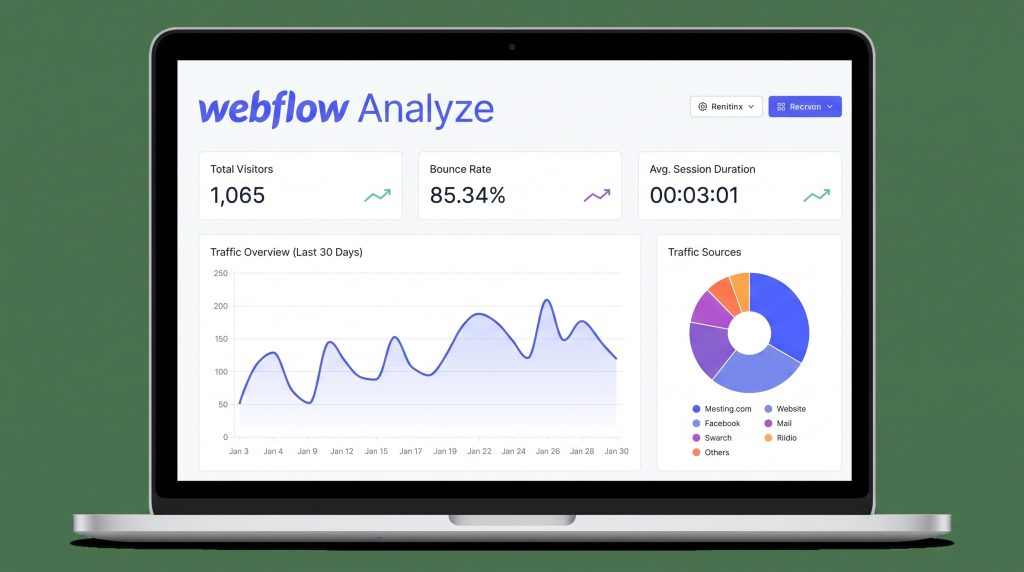
Website analytics are essential for understanding how visitors interact with your website. Whether you’re running a business website, a portfolio, a SaaS landing page, or an ecommerce store, data helps you make better decisions and improve results.
For years, Google Analytics has been the default solution for tracking website performance. However, many designers and marketers find traditional analytics platforms overwhelming, especially when they need quick insights rather than complex reports.
That’s where Webflow Analyze enters the picture.
Webflow Analyze is Webflow’s native analytics solution, designed to help teams understand visitor behavior directly within the Webflow ecosystem. Instead of switching between multiple tools and dashboards, users can view performance insights where they already build and manage their websites.
In this article, we’ll compare Webflow Analyze and Google Analytics, explore their strengths and weaknesses, and help you decide which option may be right for your workflow.
Why Website Analytics Matter
Analytics help answer critical questions:
- Which pages attract the most traffic?
- Where do visitors click?
- How far do users scroll?
- Which content performs best?
- Where are visitors dropping off?
Without reliable data, website improvements become guesswork.
The challenge isn’t collecting data. Most websites already collect plenty of information. The real challenge is turning that information into actionable insights.
The Traditional Analytics Experience
Google Analytics remains one of the most widely used analytics platforms in the world.
Its advantages include:
- Extensive reporting capabilities
- Custom event tracking
- Conversion tracking
- Audience segmentation
- Integration with Google’s ecosystem
However, many users experience common frustrations:
- Steep learning curve
- Complex dashboards
- Multiple reporting views
- Time-consuming setup
- Difficulty translating reports into design decisions
For designers and marketers who primarily want to improve page performance, finding useful insights can sometimes require navigating a large amount of data.
What Is Webflow Analyze?
Webflow Analyze is a native analytics solution built directly into Webflow.
According to Webflow, Analyze provides a unified view of visitor behavior, helping designers and marketers make data-informed decisions without leaving the platform.
Some of the key benefits include:
- Native integration with Webflow
- One-click setup
- Automatic event capture
- Visual reporting
- Analytics directly connected to the design workflow
Because Analyze lives inside the same ecosystem used to design and manage websites, teams can move from insight to implementation more efficiently.
Clickmaps: Understanding Where Visitors Click
One of the most interesting capabilities introduced in Webflow Analyze is clickmaps.
Clickmaps allow users to visualize visitor engagement directly on a page.
Instead of reading tables of numbers, teams can see:
- Which buttons receive attention
- Which links generate clicks
- Which areas attract engagement
- Which elements are ignored
This visual approach makes optimization more intuitive.
Designers can quickly identify opportunities to improve layouts, calls-to-action, and user experience.
Scrollmaps: Understanding Visitor Attention
Another notable feature is scrollmaps.
Scrollmaps help teams understand how visitors move through a page by visualizing scrolling behavior.
This allows teams to identify:
- Average page fold
- Content visibility
- Areas where users stop engaging
- Opportunities to reposition important content
For landing pages, product pages, and marketing campaigns, this information can be especially valuable.
If critical information appears below the area most users reach, teams can adjust page structure accordingly.
Webflow Analyze vs Google Analytics
Setup
Google Analytics often requires additional configuration, event setup, and ongoing maintenance.
Webflow Analyze focuses on simplicity with one-click setup and automatic event capture.
Winner: Webflow Analyze
Ease of Use
Google Analytics offers powerful reporting but may feel overwhelming to non-technical users.
Webflow Analyze focuses on visual insights that are easier for designers and marketers to interpret.
Winner: Webflow Analyze
Reporting Depth
Google Analytics offers significantly more reporting flexibility and advanced customization.
Organizations with sophisticated analytics requirements may still prefer Google’s extensive capabilities.
Winner: Google Analytics
Design Workflow Integration
Google Analytics exists outside the design environment.
Webflow Analyze integrates directly into the Webflow workflow.
Winner: Webflow Analyze
Enterprise-Level Analysis
Organizations needing advanced segmentation, attribution, and custom reporting may benefit from Google Analytics.
Winner: Google Analytics
Who Should Use Webflow Analyze?
Webflow Analyze may be a strong fit for:
- Designers
- Marketers
- Agencies
- Small businesses
- Startup teams
- Content creators
Especially those who value speed, simplicity, and visual insights.
Who Should Use Google Analytics?
Google Analytics may be a better fit for:
- Large organizations
- Data analysts
- Enterprise marketing teams
- Businesses requiring advanced reporting
My Take
The biggest difference between these platforms is not the amount of data they provide.
It’s how quickly users can turn data into action.
Google Analytics remains incredibly powerful, but many teams only use a small portion of its capabilities.
Webflow Analyze takes a different approach by bringing analytics closer to the people actually building and optimizing websites.
For designers and marketers working primarily inside Webflow, that simplicity can be a significant advantage.
Final Thoughts
Analytics should help teams improve websites, not create additional complexity.
Webflow Analyze introduces a more visual, integrated approach to understanding website performance through features like clickmaps, scrollmaps, automatic event capture, and native Webflow integration.
For teams already building websites in Webflow, Analyze offers a compelling alternative to traditional analytics workflows.
If you’d like to learn more about Webflow and its growing suite of tools, check out Webflow through my affiliate link below:
https://try.webflow.com/rf3ggx2bdm0k
Disclosure: This article contains affiliate links. If you purchase through these links, I may earn a commission at no additional cost to you.